
USB Drive Recovery Software
We provide USB Drive Recovery Software to recover lost files and folders from USB flash drive media. Software resolves all types of data loss issues that can occur when pen drive is being accessed on your PC or similar gadgets.
Program successfully recovers all lost or deleted data including text documents, pictures, videos, audios and other valuable data from flash drive, pen drive, thumb drive and other types of USB storage devices.
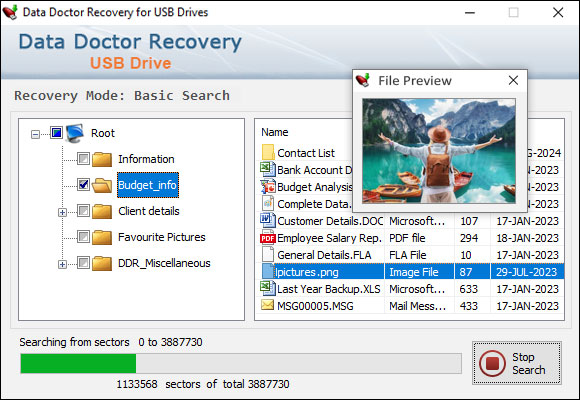
Searching files and folders, You can stop searching by clicking on 'Stop' button.
Software Features:
-
 Restores data saved in all major file formats including avi, mp4, mpeg, m4v, wav, jpg, gif, bmp, png etc.
 -
 Software has advanced inbuilt disk scanning technique for searching and recovering lost or deleted files.
 -
 Recovers data lost due to virus attack, accidental deletion, corrupted USB drive and other data loss causes.
 -
 Retrieves lost or missing data whenever "Drive not formatted" error message displays on your PC.
 -
 Provides data preview facility to view your lost files before final recovery process.
 -
 Facility to save recovered files and folders at specified location on your computer system.
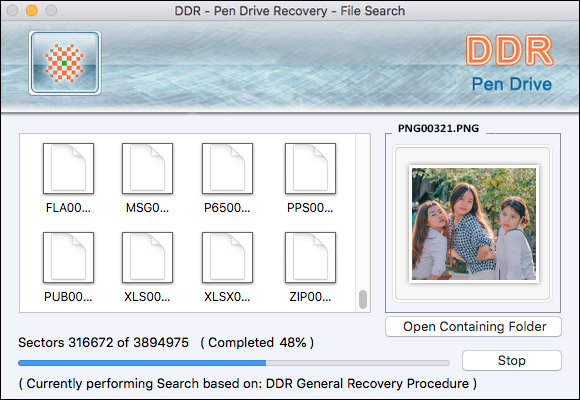
Searching files and folders, You can stop searching by clicking on 'Stop' button.
Mac USB Drive Recovery Software
Mac USB Drive Recovery Software retrieves lost crucial data from different types of USB storage drives including pen drive, flash drive, thumb drive, key drive and other types of USB drives.
Pen Drive Recovery program for Mac OS X allows you to restore deleted or lost files and folders from USB drive using advanced disk scanning technique.
Software Features:
- 🔸 Recovers lost data including text documents, digital pictures, video clips, audios and other multimedia files from corrupted or damaged USB drive.
- 🔸 Software provides advance and standard search recovery modes to recover your deleted or logically formatted USB drive data.
- 🔸 Recovers lost data in major data loss situations like formatted USB drive, virus infected USB drive, improper use of USB drive, accidental deletion of original data and other similar data loss reasons.
- 🔸 Provides data preview facility so that you can easily view your recovered files before final recovery process.
- 🔸 Get back your entire deleted or erased data even if any system generated error message displays on your Mac machine while working with pen drive.
- 🔸 Software facilitates you to save your recovered data files at specified safe location on Mac OS X installed machine.

